
Free options available, premium features may require subscription.
QR Code AI
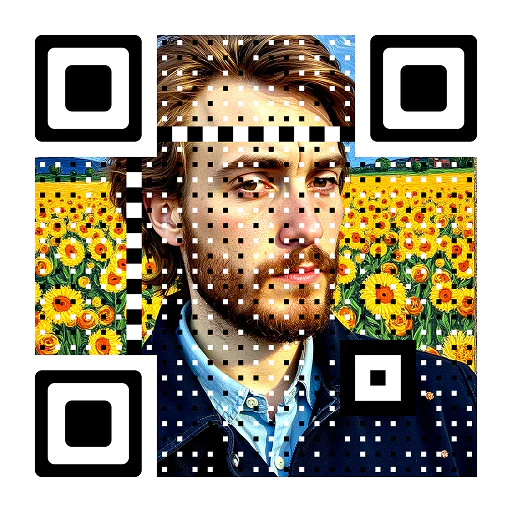
An AI QR code is a visually enhanced, artistic QR code created using artificial intelligence that blends custom artwork or branding into a fully scannable code.
Key features
- Custom image integration
- Artistic style transfer
- Color customization
- Frame and eye customization
- Multiple data types supported
- High-resolution output
- Real-time preview
- Scannability testing
Pros & Cons
Pros
- Increased engagement due to visual appeal
- Enhanced branding opportunities
- Improved user experience
- Differentiates from standard QR codes
- Versatile for various marketing and design needs
Cons
- Risk of reduced scannability if over-designed
- Complex designs might lead to larger file sizes
- Quality and features vary by platform
- Advanced features often require paid subscriptions
What is a QR Code AI Generator?
A QR Code AI Generator is a specialized online tool or platform that leverages artificial intelligence to create visually unique and artistic QR codes. Unlike traditional QR code generators that produce standard black-and-white or simple colored patterns, an AI QR code generator integrates custom artwork, branding elements, or creative designs directly into the QR code’s structure. The AI ensures that despite these artistic modifications, the QR code remains fully scannable and functional, connecting users to the intended digital destination.
These generators are designed to solve the problem of bland, unengaging QR codes by transforming them into visually appealing marketing assets. They combine the utility of quick response codes with the aesthetic appeal of custom graphics, making them more likely to attract attention and encourage scans.
How Does an AI QR Code Generator Work?
The core functionality of an AI QR code generator lies in its ability to balance artistic design with data integrity. Here’s a general overview of the process:
- Input Data: You start by providing the necessary data for the QR code, such as a URL, text, contact information, Wi-Fi credentials, or other digital content.
- Design Input: Next, you upload or select an image, style, or theme that you want to integrate into the QR code. This could be a brand logo, a specific artistic style, a photograph, or a textural pattern.
- AI Processing: The AI engine then takes over. It analyzes the input design and the QR code data. Its primary task is to embed the visual elements into the QR code’s modules (the small squares) while maintaining the scannability of the code. This often involves complex algorithms that subtly alter the appearance of the modules to reflect the design without corrupting the embedded data.
- Error Correction: QR codes have built-in error correction capabilities, which the AI leverages. This allows for a certain percentage of the code to be altered or obscured without losing its functionality. The AI intelligently distributes design elements within these error correction tolerances.
- Optimization and Output: The AI continuously optimizes the design to ensure maximum scannability. It might generate several variations for you to choose from or allow for fine-tuning. Once satisfied, the generator outputs the artistic QR code in various image formats (e.g., PNG, SVG).
This sophisticated process allows businesses and individuals to create QR codes that are not just functional but also serve as an extension of their brand or creative vision.
Key Features of AI QR Code Generators
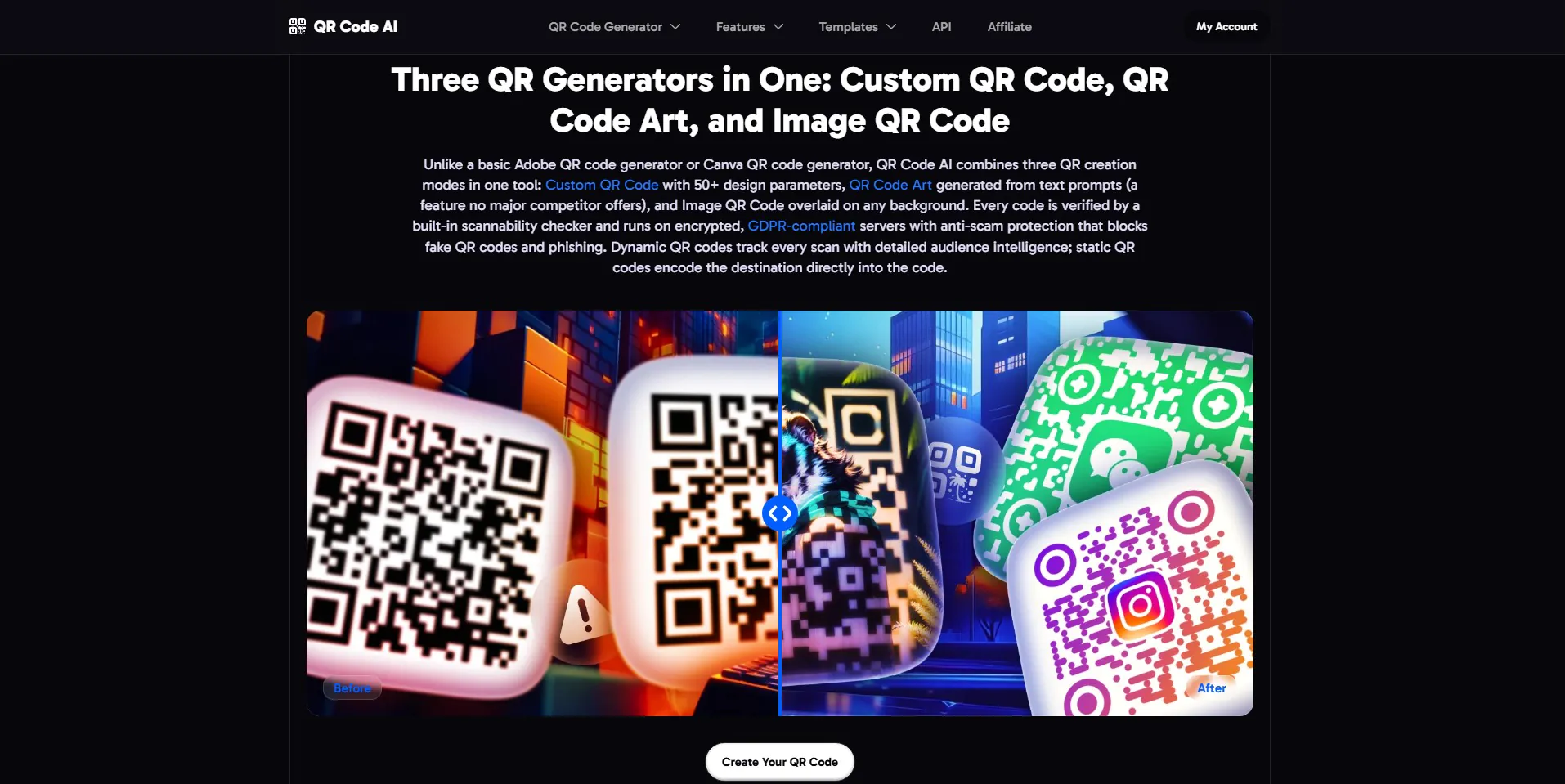
While specific features may vary between different platforms, common capabilities of a robust QR code AI generator often include:
- Custom Image Integration: Ability to upload and embed your own images, logos, or artwork directly into the QR code.
- Artistic Style Transfer: Applying various artistic styles, such as painterly, abstract, or even photographic effects, to the QR code.
- Color Customization: Extensive options to choose colors for the QR code, including gradients and transparent backgrounds, to match branding.
- Frame and Eye Customization: Modifying the shape and style of the QR code’s ‘eyes’ (the three large squares in the corners) and adding custom frames.
- Multiple Data Types: Support for generating QR codes for various data types like URLs, text, email, phone numbers, SMS, Wi-Fi, vCard, and more.
- High-Resolution Output: Generating QR codes in high-quality formats suitable for both digital use and print.
- Error Correction Level Control: Allowing users to adjust the error correction level, which can impact the amount of design integration possible.
- Real-time Preview: Instant visualization of how the QR code will look as design elements are applied.
- Scannability Testing: Some generators offer built-in tools or recommendations to ensure the generated code is easily scannable by various devices.
- Batch Generation: For users needing multiple QR codes, some platforms offer the ability to generate them in bulk.
These features collectively empower users to create highly personalized and effective QR codes.
Main Use Cases for AI-Generated QR Codes
The versatility of AI-generated QR codes makes them suitable for a wide range of applications:
- Marketing and Advertising: Creating eye-catching QR codes for print ads, billboards, flyers, brochures, and digital campaigns to drive traffic to websites, landing pages, or social media profiles.
- Branding: Embedding company logos and brand colors directly into QR codes on product packaging, business cards, and promotional materials to reinforce brand identity.
- Event Promotion: Designing unique QR codes for event tickets, invitations, and posters that link to registration pages, event schedules, or virtual meeting rooms.
- Product Packaging: Providing customers with instant access to product information, user manuals, recipes, or special offers directly from the packaging.
- Restaurant Menus: Replacing physical menus with scannable QR codes that lead to digital menus, often incorporating the restaurant’s aesthetic.
- Art and Design Projects: Artists can integrate scannable QR codes into their artwork to link to portfolios, artist statements, or interactive experiences.
- Personal Use: Creating unique QR codes for personal websites, social media profiles, or digital business cards.
- Retail Displays: Enhancing in-store displays with interactive QR codes that provide more product details, customer reviews, or purchasing options.
In each of these scenarios, the artistic nature of the QR code enhances engagement and user experience.
Who Can Benefit from an AI QR Code Generator?
A broad spectrum of users can find significant value in using an AI QR code generator:
- Marketers and Advertisers: To create more engaging campaigns and increase scan rates.
- Small Business Owners: To enhance their branding on limited budgets and connect with customers more effectively.
- Graphic Designers: To offer innovative and visually appealing solutions to clients.
- Brand Managers: To maintain consistent brand aesthetics across all touchpoints, including QR codes.
- Event Organizers: To make event access and information more interactive and visually appealing.
- Restaurants and Hospitality Businesses: To modernize their customer experience with digital menus and information.
- Artists and Creatives: To add a digital dimension to their physical works.
- Individuals: For personal branding, sharing contact information, or linking to personal projects in a unique way.
Essentially, anyone looking to make their QR codes stand out and be more effective in capturing attention will find these tools beneficial.
Benefits and Practical Advantages of Using AI QR Codes
The integration of AI into QR code generation offers several compelling advantages:
- Increased Engagement: Visually appealing QR codes are more likely to catch the eye and be scanned compared to plain ones, leading to higher interaction rates.
- Enhanced Branding: AI generators allow for seamless integration of brand logos, colors, and aesthetics, turning a functional code into a powerful branding tool.
- Improved User Experience: A well-designed QR code can make the interaction feel more professional and enjoyable for the end-user.
- Memorability: A unique and artistic QR code is more memorable, potentially leading to repeat engagement or recognition.
- Versatility: They can be used across various media, from digital screens to print materials, without losing their impact.
- Differentiation: In a crowded market, custom AI QR codes help businesses and individuals stand out from competitors.
- Cost-Effectiveness: While specialized, many AI QR code generators offer affordable plans or even free tiers, making advanced design accessible.
- Efficiency: The AI handles the complex design integration, saving designers time and effort.
These benefits translate into more effective marketing efforts, stronger brand presence, and better overall digital engagement.
Limitations and Considerations
While AI QR code generators offer numerous advantages, there are also some limitations and considerations to keep in mind:
- Scannability Risk: Over-designing a QR code can sometimes compromise its scannability. It’s crucial to test the generated code thoroughly on various devices and scanning apps.
- File Size: Highly detailed artistic QR codes might result in larger file sizes, which could be a minor consideration for web usage.
- Complexity of Design: While AI automates much of the process, achieving the perfect blend of art and functionality might still require some experimentation and understanding of design principles.
- Platform Dependence: The quality and range of artistic options depend heavily on the specific AI generator being used. Some might offer more advanced customization than others.
- Subscription Costs: While basic features might be free, access to advanced AI styles, high-resolution outputs, and commercial licenses often come with a subscription fee.
- Data Security: When generating QR codes that link to sensitive information, ensure the platform used has robust security and privacy policies.
Understanding these points can help users make informed decisions and achieve optimal results.
How to Get Started with an AI QR Code Generator
Getting started with an AI QR code generator is typically a straightforward process:
- Choose a Generator: Start by selecting an AI QR code generation platform. A good starting point is to visit the official QR Code AI website to explore their offerings.
- Input Your Data: Enter the URL, text, or other information you want to embed in your QR code.
- Select Your Design: Upload your logo, choose an artistic style, or select desired colors and patterns. Experiment with different options to see how they integrate.
- Generate and Preview: Let the AI process your inputs and generate the QR code. Most platforms offer a real-time preview.
- Test Scannability: Before deploying your QR code, always test it with multiple QR code scanner apps on different smartphones (iOS and Android) to ensure it scans reliably.
- Download and Use: Once you’re satisfied with the design and confirmed its scannability, download the QR code in the desired format (e.g., PNG, JPG, SVG) and integrate it into your marketing materials or projects.
Many platforms offer tutorials or guides to help you make the most of their features.
Practical Tips for Getting Better Results
To maximize the effectiveness of your AI-generated QR codes, consider these tips:
- Maintain Contrast: Ensure there’s sufficient contrast between the QR code elements and its background, even with artistic designs, for optimal scannability.
- Don’t Overdo It: While artistic, avoid designs that are too busy or complex, as they can hinder readability for scanners. Simplicity often works best.
- Test, Test, Test: Always test your QR code under various lighting conditions and with different devices before final deployment. Print a sample if it’s for physical use.
- Consider the Context: Design the QR code to fit the medium where it will be displayed. A QR code on a billboard needs to be less detailed than one on a business card.
- Keep the Content Relevant: Ensure the content linked by the QR code is valuable, relevant, and mobile-friendly to provide a good user experience.
- Use a Call to Action: Encourage scans by adding a clear call to action near your QR code, e.g., “Scan to watch the video” or “Scan for our menu.”
- Monitor Performance: If your generator or linked service offers analytics, track scan rates to understand what designs perform best.
By following these tips, you can create AI QR codes that are both beautiful and highly functional.
Frequently Asked Questions
What is the difference between a regular QR code and an AI QR code?
A regular QR code is typically a standard black-and-white pattern designed purely for functionality. An AI QR code, on the other hand, integrates custom artwork, logos, or artistic styles directly into its visual structure, making it more aesthetically pleasing and branded, while still maintaining scannability through artificial intelligence algorithms.
Are AI QR codes harder to scan?
Not necessarily, but it depends on the design complexity and the quality of the AI generator. A well-designed AI QR code from a reputable generator should be just as scannable as a regular one. However, over-designing or using very low contrast can reduce scannability, so thorough testing is always recommended.
Can I use my own images or logos with an AI QR code generator?
Yes, most AI QR code generators allow you to upload your own images, logos, or brand assets to be seamlessly integrated into the QR code’s design. This is one of their primary advantages for branding.
What types of content can an AI QR code link to?
AI QR codes can link to the same types of content as traditional QR codes, including websites (URLs), text, email addresses, phone numbers, SMS messages, Wi-Fi network credentials, vCards (contact information), app download links, payment links, and more.
Do I need design skills to create an artistic QR code with AI?
No, one of the benefits of AI QR code generators is that they automate the complex design integration process. While some platforms offer advanced customization for designers, many are user-friendly and allow individuals without specific design skills to create stunning artistic QR codes.
How much does it cost to use an AI QR code generator?
Costs vary widely. Many AI QR code generators offer free tiers with basic features, while premium features, higher resolution outputs, commercial usage rights, and advanced AI styles often require a paid subscription or one-time purchase. It’s best to check the pricing plans of individual platforms.
Elevate Your Digital Engagement with AI QR Codes
AI QR code generators represent a significant leap forward in how we interact with quick response codes. By transforming functional, often overlooked, digital gateways into engaging, artistic, and brand-aligned visual assets, they offer a powerful tool for marketers, businesses, and creatives alike. The ability to seamlessly blend aesthetics with utility means that your QR codes can now do more than just connect; they can captivate, communicate brand identity, and enhance the overall user experience.
Whether you’re looking to boost engagement for a marketing campaign, strengthen your brand presence on product packaging, or simply add a unique touch to your personal projects, exploring the capabilities of an AI QR code generator is a worthwhile endeavor. By leveraging the power of artificial intelligence, you can create QR codes that are not only scannable but also memorable and impactful.
Ready to create your own unique QR code? Visit the QR Code AI Generator to get started and see how AI can transform your digital links.
QR Code AI Website Analytics
QR Code AI Website Insights
QR Code AI Status
| Status | Online |
|---|---|
| Uptime (30 days) | 99.71% |
| Avg. Response Time | 603 ms |
| Last Checked | 47 minutes ago |
Response time over the last 30 days · red lines = downtime
Domain: qrcode-ai.com
| SSL Certificate | Let's Encrypt, valid until 2026-12-11 |
|---|---|
| Security | HTTPS |
| Server | cloudflare |
| Language | en-us |
Technology
Social Profiles
Display your featured badge
Copy this badge into your website footer. Visitors who click it will open this listing page.