

What is Scenario AI
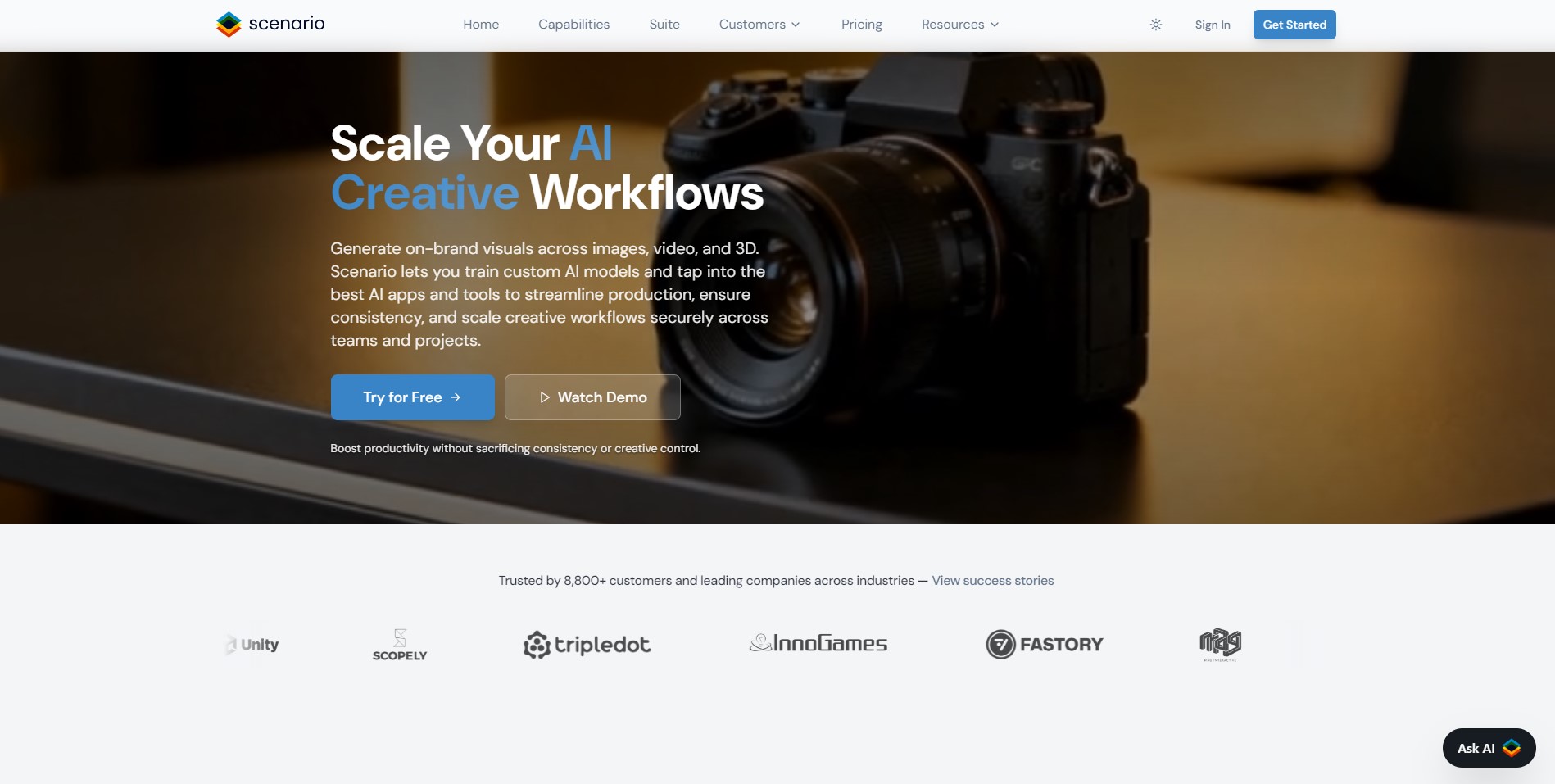
Scenario AI represents a significant leap forward in the intersection of artificial intelligence and digital game artistry. It is an all-in-one generative AI engine specifically tailored for the gaming industry and creative studios worldwide.
Unlike generic image generators, Scenario AI focuses on maintaining style consistency and technical precision for game assets. The platform allows creators to train their own custom AI models based on their unique artistic styles and vision.
The acquisition of Pixelicious has further expanded its capabilities into the specialized realm of high-quality pixel art conversion. It provides a streamlined workflow for turning sketches or high-resolution photos into game-ready sprites and environmental tiles.
The Evolution from Pixelicious to Scenario AI
Pixelicious started as a dedicated tool for retro game enthusiasts who needed a quick way to pixelate their assets. Scenario AI integrated this technology to offer a more robust environment with advanced features like background removal and upscaling.
Purpose-Built for Game Development
Every feature within the platform is designed to solve the common pain points of indie developers and large studios. From generating consistent character sets to creating seamless textures, Scenario AI serves as a comprehensive creative partner.
How to use Scenario AI
Getting started with Scenario AI is designed to be intuitive for both professional artists and novice game developers alike. The process begins with the selection of a high-quality source image that serves as the foundation for your pixel art.
Once your image is uploaded, you are presented with a variety of adjustment tools to define the final aesthetic. You can experiment with different parameters until the preview matches the specific retro or stylized look you desire.
Step 1 Upload and Initial Configuration
Users can drag and drop their files directly into the web interface for immediate processing by the AI engine. High-resolution images are recommended to give the algorithm more data to work with during the conversion process.
Step 2 Fine-Tuning the Pixelation Parameters
Selecting the grid size is crucial, as it determines whether your asset looks like an 8-bit classic or a modern 16-bit sprite. You can choose from predefined resolutions like 16px, 32px, or up to 256px depending on the level of detail required.
Step 3 Palette Customization and Final Export
The tool allows you to extract color palettes automatically or manually input hex codes for a specific brand color scheme. After applying noise reduction and background removal, you can download the final asset in various formats for your game engine.
Scenario AI Core Features
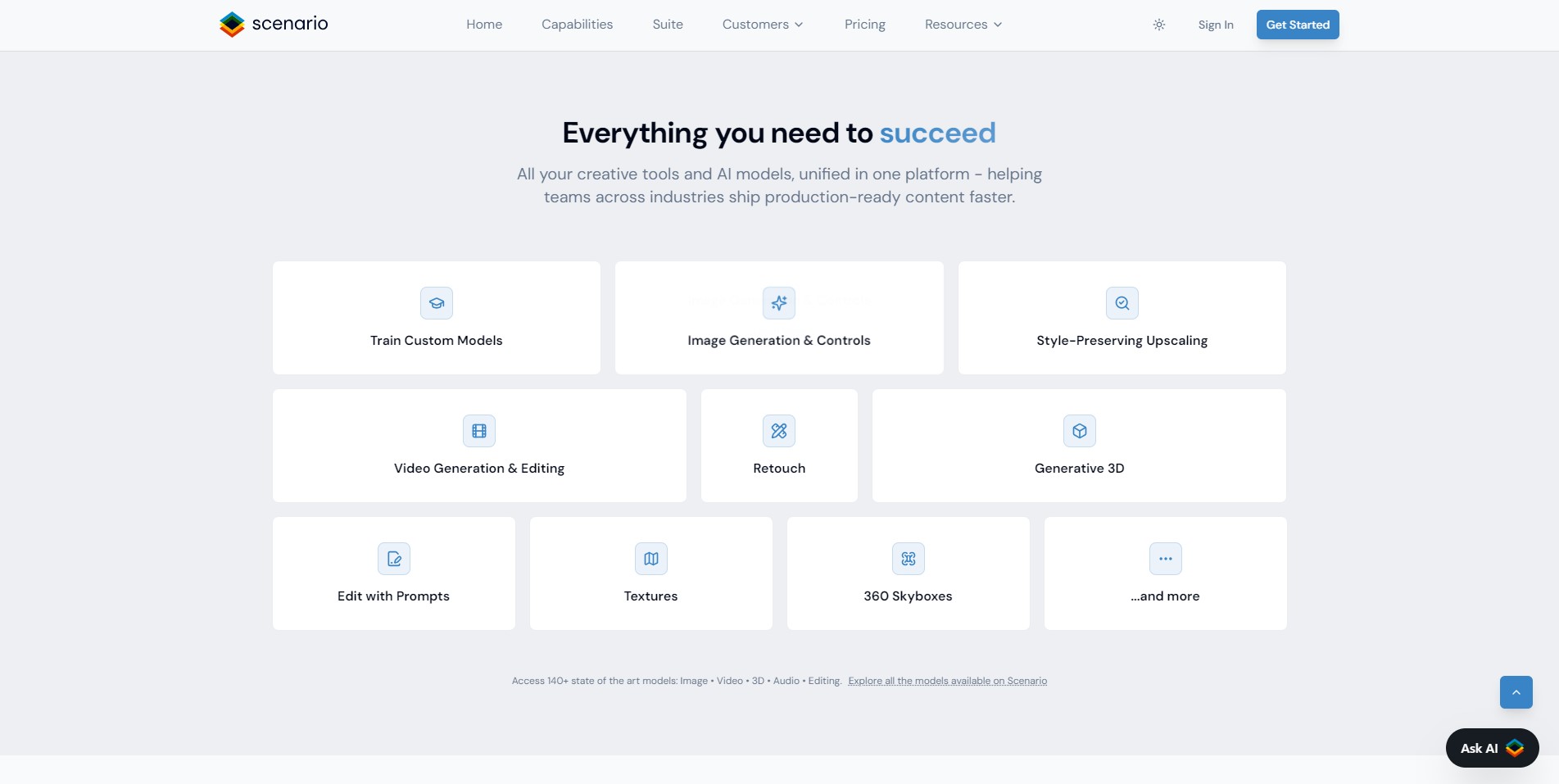
The true power of Scenario AI lies in its specialized feature set that goes far beyond simple image filtering tools. It offers a professional-grade suite of AI models that understand the nuances of pixel placement and color theory.
Consistency is the hallmark of this platform, allowing teams to produce hundreds of assets that look like they were drawn by one person. This level of control is achieved through advanced training techniques and user-defined constraints.
Advanced Pixel Art Conversion
The core engine utilizes sophisticated algorithms to ensure that pixelated images maintain their structural integrity and recognizable forms. It avoids the blurriness often associated with simple downscaling, providing sharp and clean edges for every sprite generated.
Custom Model Training
One of the standout features is the ability for users to train their own private AI models using a small dataset of images. This ensures that any output generated by the Scenario AI platform adheres strictly to your specific project’s art style.
Integrated Post-Processing Tools
The platform includes built-in tools for removing backgrounds and enhancing image resolution through AI-powered upscaling. These features save developers hours of manual work in external photo editing software like Photoshop or GIMP.
Scenario AI Use Cases
The versatility of Scenario AI makes it an essential tool for various creative industries beyond just traditional game development. Its ability to bridge the gap between high-fidelity art and stylized pixel aesthetics opens up numerous possibilities.
By automating the tedious parts of the creative process, it allows artists to focus on high-level design and storytelling. Here are the primary ways creators are leveraging this powerful AI tool today.
Retro Indie Game Development
Indie developers use Scenario AI to create massive amounts of environmental tiles and character animations on a limited budget. It enables small teams to produce visually stunning games that rival the aesthetic quality of larger studio productions.
Marketing and Brand Identity
Brands use the tool to create unique pixel-style avatars and marketing materials that stand out on social media platforms. The nostalgic appeal of pixel art helps companies connect with a demographic that grew up during the golden age of gaming.
Mobile App UI Design
UX/UI designers utilize the platform to create crisp, pixel-perfect icons and interface elements for mobile applications. These assets remain sharp across various screen densities, ensuring a high-quality user experience for all mobile players.
FAQ from Scenario AI
What types of files can I upload to Scenario AI? You can upload most standard image formats including PNG, JPG, and WebP for conversion into pixel art styles.
Is the content generated by Scenario AI royalty-free? Yes, users typically retain ownership of the outputs generated through their paid accounts for commercial use.
Can I use Scenario AI for 3D textures? While primarily focused on 2D art, many developers use the generated textures for 3D models to achieve a low-poly look.
Does Scenario AI support batch processing? The platform offers various workflows that allow for efficient generation of multiple assets to maintain project momentum.
Pricing Scenario AI
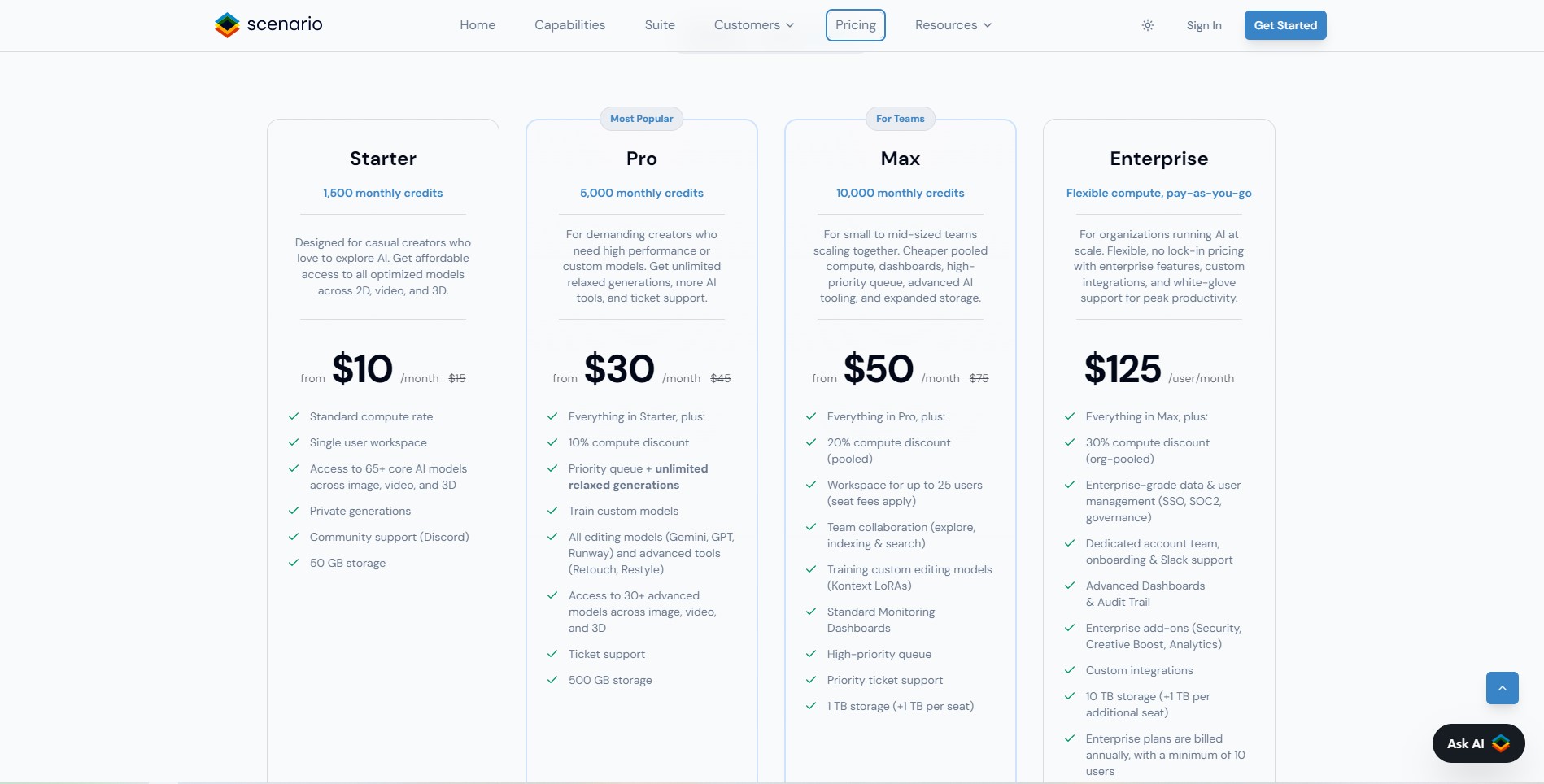
Scenario AI offers a tiered pricing structure designed to accommodate everyone from solo hobbyists to large-scale development teams. The plans are scaled based on the number of “Creative Units” required for image generation and model training.
For those just starting out, there are accessible entry points to test the core features of the engine. More advanced tiers provide priority processing and increased storage for large-scale production environments.
Pro Plan
The Pro Plan is priced at $45 per month and is ideal for individual creators and professional freelancers. It includes 5,000 Creative Units, 50GB of storage, and access to high-resolution downloads for your projects.
Team Plan
For collaborative environments, the Team Plan costs $150 per month per seat, offering 15,000 Creative Units. This tier provides priority support and high-priority processing to ensure your team never hits a bottleneck.
Enterprise Plan
The Enterprise Plan is a custom-quoted solution for large studios requiring unlimited scale and dedicated account management. It includes advanced security features and comprehensive onboarding for your entire creative department.
For the latest pricing, please visit this link: https://www.scenario.com/pricing
Scenario AI vs Competitors
When compared to other tools like Pxlize or RetroDiffusion, Scenario AI stands out due to its comprehensive ecosystem. While other tools focus solely on the conversion process, Scenario AI provides a full-stack solution for asset management.
The ability to train custom models is a significant competitive advantage that most simple converters do not offer. This makes Scenario AI a more professional choice for projects that require long-term stylistic consistency.
Feature Comparison
Most competitors offer basic filters, but Scenario AI provides deep control over palettes and grid resolution. The integration of background removal directly into the workflow saves significantly more time than standalone tools.
Performance and Reliability
Scenario AI operates on high-performance cloud infrastructure, ensuring that even complex generations are completed in seconds. The web-based interface is more accessible than local installations that require heavy GPU resources from the user.
Pros, Cons
Every tool has its strengths and areas for improvement, and Scenario AI is no exception to this rule. Understanding these factors will help you decide if it is the right fit for your specific creative workflow.
Pros of Scenario AI
The platform is exceptionally user-friendly and requires no prior knowledge of AI or complex coding. The output quality is consistently high, producing clean and usable assets for professional game engines.
Cons of Scenario AI
The subscription-based model might be a barrier for hobbyists who only need the tool for a single image. There is a slight learning curve when it comes to mastering the custom model training features for optimal results.
How We Rated It
As an expert in the field, I have evaluated Scenario AI based on rigorous standards to ensure you get the best advice. The following scores reflect the platform’s performance in a real-world professional production environment.
Accuracy and Reliability: 4.8/5
The AI consistently follows user inputs and produces predictable, high-quality results that match the intended style perfectly.
Ease of Use: 4.5/5
The interface is clean and modern, making it very easy for new users to find the tools they need quickly.
Functionality and Features: 4.9/5
With its combination of pixel art conversion, model training, and editing tools, it is the most feature-rich option available.
Performance and Speed: 4.7/5
Generation times are remarkably fast, allowing for an iterative design process without frustrating delays or technical lag.
Cost-Efficiency: 4.2/5
While it is a premium tool, the time saved in the production pipeline easily justifies the monthly subscription cost.
Overall Score: 4.7/5
Scenario AI is currently the gold standard for anyone serious about integrating AI into their game art workflow.
In conclusion, Scenario AI is a powerhouse for modern creators who want to blend classic aesthetics with cutting-edge technology. It streamlines the production of pixel art, saves countless hours of manual labor, and ensures your project looks professional. If you are ready to take your game assets to the next level, I highly recommend you start today. Try Scenario AI now and unleash your creative potential with 50 free daily credits!




Reviews
There are no reviews yet.